
अगर आप एक स्टूडेंट हैं और कम पैसों में अपना खुद का ब्लॉग शुरू करना चाहते हैं, तो यह ब्लॉग पोस्ट आपके लिए हैा आज हम जानेंगे कि 2025 में एक Student Blog शुरू करने के 5 सबसे सस्ते और आसान तरीके कौन-कौन से हैं, जिन्हें आप सीख भी सकते हैं और अच्छा पैसा भी कमा सकते हैंं।
2025 में Student Blog शुरू करने के टॉप 5 सस्ते और आसान तरीके – Step-by-Step गाइड
2025 में Blogging सिर्फ पैसे कमाने का जरिया नहीं है, बल्कि:
- इससे आपकी Writing Skill improve होती है।
- डिजिटल मार्केटिंग, SEO, कंटेंट क्रिएशन जैसी नई-नई Skills मिलती हैं।
- आप पढ़ाई के साथ-साथ Side Income कमा सकते हैं।
- किसी भी Competitive Exams की तैयारी के साथ-साथ Knowledge भी बढ़ता है।
आइए अब जानते हैं – Student Blog शुरू करने के 5 सस्ते तरीके
Free Blogger Platform से शुरुआत करें
Blogger.com अगर आप एक Student है और अभी आपके पास पैसा नहीं है या पैसा बिना खर्च किए फ्री में Student Blog स्टार्ट करना चाहते हैं तो गूगल का फ्री ब्लॉग प्लेटफॉर्म का प्रयोग कर सकते हैं जहाँ:
- ₹0 खर्च होता है
- आपको फ्री में hosting और subdomain (yourname.blogspot.com) मिलता है
Blogger.com के फायदे:
- Zero Investment में शुरुआत
- Google AdSense से earning भी possible
- Students के लिए best practice platform
शुरू कैसे करें:
- सबसे पहले गूगले के blogger.com पर जाएं।
- Gmail ID से Login करें।
- Blog का नाम चुनें।
- एक फ्री थीम चुनें।
- एक अच्छा सा टॉपिक (Niche) जो आपको पसंद हो और फिर अपना पोस्ट लिखना स्टार्ट करें।
Note:- Content को niche-specific रखें जैसे – “Exam Tips for Students, Best Notes for Students” या “Student Life Hacks in Hindi”
₹500–₹700 में Custom Domain लें
अगर आप अपने Student Blog को थोड़ा Professional दिखाना चाहते हैं, तो केवल domain name खरीदें और फिर स्टार्ट करें।
Domain कहाँ से लें?
अगर आप अपना Domain Name खरीदना चाहते हैं तो नीचे दिए गए किसी भी वेबसाइट से खरीद सकते हैं।
Suggested Domain Ideas:
- studytipssuman.com
- myexamfighter.com
- justexam.in
Blogger पर custom domain use करके भी आप low budget में professional blog बना सकते हैं।
₹1999 में Hosting + Domain Combo (Hostinger से)
अगर आप थोड़ा और Invest कर सकते हैं, तो WordPress के साथ ब्लॉग बनाएं।
Hostinger का Offer:
- ₹1999/year में domain + hosting (beginner plan) के साथ शुुरू करें।
- Free SSL, Email, 1-Click WordPress Install करें।
WordPress क्यों चुने?
- Highly Customizable- इसमें आप आसानी से अपनी वेबसाइट में Customize कर सकते हैंैं।
- AdSense + Affiliate Friendly- इसमें AdSense और Affiliate Link का प्रयोग भी कर सकते हैंैं।
- Blog को future में monetize करके आसानी से पैसा कमा सकते है।
Pro Tip: Blogging के लिए आप Evergreen Niche पर ब्लॉग लिख सकते हैं जैसे Exam Preparation, Motivation, Current Affairs, Exam tips etc.
AI Tools की मदद से Content Writing में पैसा बचाएं
Content लिखने में बहुत पैसा खर्च होता है, लेकिन एक Students के लिए ChatGPT, Grammarly, और Canva जैसे free tools बहुत मदद करते हैं।
Suggested Free Tools For Students:
| Tool | Use |
|---|---|
| ChatGPT | Content Idea, Creating Outline, Grammar Correction |
| Grammarly | Writing check |
| Canva | Free Blog banners Design |
| Google Docs | Drafting your blog posts |
Pro Tip: ChatGPT से Idea लें लेकिन अपना ज्ञान ज़रूर शामील करें ताकि Content human लगे।
Mobile से Blogging शुरू करें (Zero Cost)
अगर आप एक Student हैं और आपके पास Laptop नहीं है? No problem! आप सिर्फ मोबाइल से भी blogging कर सकते हैं।
मोबाइल से ब्लॉगिंग करने के लिए क्या चाहिए?
- Blogger app या WordPress app
- Google Chrome for SEO tools
- Grammarly keyboard
- Canva App for designing
Success Example:
बहुत सारे Student Bloggers सिर्फ फोन से ₹10,000–₹20,000/month कमा रहे हैं। जरूरी है ब्लॉगिंग के लिए Consistency और सही guidance.
Mobile se Online पैसे कैसे कमाएं? (बिना इन्वेस्टमेंट) – 2025 में Students के लिए 10 आकर्षक तरीके!
Bonus Tips: अपने Blogging Journey को Strong कैसे बनाएं?
- एक Micro Niche चुनें जैसे – “Blogging for Class 12th Students” या “Exam Tips in Hindi”.
- हफ्ते में कम से कम 2 से Post लिखें जिसमें शब्दों की लम्बाई – 800+ शब्दों में SEO Friendly.
- Blog को Google Search Console से connect करें।
- Pinterest और WhatsApp groups से Traffic लाएं।
- Affiliate marketing से extra income करें।
FAQs – Student Blogging से जुड़े सामान्य सवाल
Q1. क्या एक छात्र होने के नाते ब्लॉगिंग शुरू की जा सकती है?
उत्तर: हां, बिल्कुल! छात्र अपनी पढ़ाई के साथ-साथ ब्लॉगिंग कर सकते हैं। यह न केवल एक अतिरिक्त इनकम का जरिया बन सकता है, बल्कि आपके लिखने की कला, रिसर्च स्किल और डिजिटल नॉलेज भी बढ़ती है।
Q2. स्टूडेंट्स किस टॉपिक पर ब्लॉगिंग करें तो अच्छा रहेगा?
उत्तर: कुछ बेहतरीन और आसान टॉपिक हैं:
Exam Tips और Study Hacks
Career Guidance
Motivation for Students
Blogging या Freelancing Journey
Notes या Summaries
Tech/Apps for Students
Personal Experiences
Q3. क्या Blogging के लिए कोई टेक्निकल नॉलेज जरूरी है?
उत्तर: नहीं, शुरुआत में बेसिक कंप्यूटर और इंटरनेट चलाने की जानकारी ही काफी है। जैसे-जैसे आप सीखते जाते हैं, WordPress, SEO, Canva आदि का प्रयोग करना भी आसान हो जाता है।
Q4. क्या Blogging से पढ़ाई में रुकावट आती है?
उत्तर: यदि आप टाइम मैनेजमेंट करना जानते हैं, तो बिल्कुल भी नहीं। रोज़ 1 से 2 घंटे का समय निकालकर आप Blogging कर सकते हैं और साथ में पढ़ाई भी सही से कर सकते हैं।
Q5. क्या स्टूडेंट्स Blogging से पैसे भी कमा सकते हैं?
उत्तर: हां! Blogging से पैसे कमाने के कई तरीके हैं जैसे:
Google AdSense
Affiliate Marketing
Sponsored Posts
Digital Products (ई-बुक्स, कोर्स)
Freelance Content Writing Offers
Q6. एक छात्र के लिए Blogging शुरू करने का सही तरीका क्या है?
उत्तर:
- अपने पसंदीदा विषय या रुचि को चुनें
- एक अच्छा डोमेन नेम और होस्टिंग खरीदें
- WordPress पर ब्लॉग सेट करें
- SEO और Keyword Research सीखें
- नियमित रूप से पोस्ट लिखना शुरू करें
Q7. क्या मोबाइल से भी Blogging की जा सकती है?
उत्तर: हां, आज के स्मार्टफोन्स में WordPress, Blogger, Canva जैसे ऐप्स के जरिए आप ब्लॉग बना सकते हैं और मैनेज भी कर सकते हैं। हालांकि बेहतर अनुभव और एडवांस टूल्स के लिए लैपटॉप/कंप्यूटर का उपयोग बेहतर रहेगा।
Q8. Blogging के लिए क्या हिंदी भाषा में लिखना फायदेमंद है?
उत्तर: जी हां, हिंदी में Blogging आज तेजी से बढ़ रही है क्योंकि भारत में करोड़ों लोग हिंदी भाषी हैं। इससे आपको अपने टारगेट ऑडियंस तक पहुंचने में आसानी होती है और कॉम्पिटिशन भी कम रहता है।
Q9. क्या Blogging में करियर बनाना संभव है?
उत्तर: बिल्कुल! यदि आप निरंतर ब्लॉगिंग करते हैं और सही दिशा में मेहनत करते हैं तो यह एक फुल टाइम करियर बन सकता है। कई लोग Blogging से लाखों रुपये प्रति माह कमा रहे हैं।
Q10. ब्लॉगिंग शुरू करने के बाद कितने समय में कमाई शुरू हो सकती है?
उत्तर: यदि आप SEO-friendly content लिखते हैं और नियमित ट्रैफिक बढ़ाने पर ध्यान देते हैं, तो 3-6 महीने में कमाई शुरू हो सकती है। हालांकि यह आपके कंटेंट की क्वालिटी, niche और मेहनत पर भी निर्भर करता है।
✅ निष्कर्ष (Conclusion)
2025 में Blogging शुरू करने के लिए आपको लाखों रुपये की जरूरत नहीं है। अगर आप एक Student हैं और कम बजट में सीखते हुए कमाना चाहते हैं, तो ऊपर बताए गए 5 तरीके आपकी मदद कर सकते हैं।
Blogging एक skill है – जल्दी मत करें, Consistency रखें और सीखते जाएं।
अगर आपको ये पोस्ट पसंद आई हो, तो इसे अपने दोस्तों के साथ शेयर करें जो blogging में interested हैं। और अगर मेरी पहले की पोस्ट नहीं देखे है तो नीचे लिंंकदे रहा हूँ, आप उसे देख कर ब्लॉग क्या होता है? Best Blogging idiea for Students जैसे पोस्ट देख सकते हैं।
इन्हें भी जाने:-
मेरी Youtube Video देखने के लिए यहॉं क्लिक करे
MS Word में शानदार Resume कैसे बनाएं / Bio-Data कैसे बनाएं – Step by Step Complete Guide (2026)
RRB NTPC और UGC NET 2025 के लिए 100 महत्वपूर्ण कंप्यूटर, टाइपिंग और सोशल मीडिया प्रश्नोत्तर
Mobile se Online पैसे कैसे कमाएं? (बिना इन्वेस्टमेंट) – 2025 में Students के लिए 10 आकर्षक तरीके!
2025 में Student Blog कैसे शुरू करें – 5 आसान और सस्ते तरीके (Complete Guide)
Best Free Online Courses with Certificate in Hindi – 2025 में जानिए मुफ़्त कोर्सेज की पूरी जानकारी
Excel Me Data Entry Kaise Kare? – 4 Ultimate ways पूरी जानकारी (2025)
AI Tools for Blogging in 2025 – ब्लॉगिंग के लिए बेस्ट AI टूल्स और उनका इस्तेमाल कैसे करें?
2025 में Online Paise Kaise Kamaye? – Beginners के लिए Step-by-Step Guide
गांव के छात्रों के लिए बेस्ट कंप्यूटर कोर्स – सही कोर्स चुनें, भविष्य संवारें (2025 गाइड)
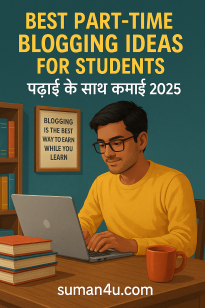
Best Part-Time Blogging Ideas for Students (2025) – पढ़ाई के साथ Blogging कैसे करें और पैसे कमाएं?
Pingback: Mobile se Online paisa kamane ke dhansu tareike
CreatBot D600 Pro 2 is a advanced 3D printing device designed for businesses requiring accuracy, reliability, and flexibility in 3D printing devices. As part of the D600 series, it incorporates a spacious build volume, advanced dual extruder technology, and top-tier features suitable for industrial-scale applications and varied materials.
CreatBot D600 Series Overview
The CreatBot D600 and D600 Pro models establish benchmarks for large format 3D printer solutions. With a build volume of 600 ? 600 ? 600 mm, these industrial 3D printers cater to a wide range of industrial 3D printing demands, from big model prototyping to end-use production. The D600 Pro lineup and the latest D600 Pro 2 introduce further improvements in performance and material compatibility.
Main Features and Benefits
Large Industrial Build Volume
Build volume: 600 ? 600 ? 600 mm
Ideal for large-scale 3D printer projects and industrial 3D printing
Supports engineering-grade materials and complex prototypes
Dual Extrusion and High-Heat Printing
4th generation 1.75mm dual extruders and hotends for multi-material printing
Right and left extruder design for flexible printing process
Supports high performance 3D materials, including PLA, nylon, carbon fiber, and more
Maximum extruder temperature: up to 420°C (high-heat)
Heated build chamber for premium applications
Accuracy, Speed & Dependability
Professional 3d print quality with accurate layer resolution
Advanced motion system for high-speed printing and robust performance
Consistent printing speed up to 120 mm/s
Reliable operation for continuous industrial use
Compatible Materials and Filaments
Broad Filament Support
Works with a broad spectrum of filament: PLA, ABS, PC, PETG, PVA, nylon filament, carbon-fiber, and more
Designed for engineering-grade materials and functional prototyping
Advanced dual extruder 3d printer enables multi-material and soluble support printing
Applications: From Prototyping to Production
The CreatBot D600 Pro 2 and D600 Pro serve a diverse set of applications:
Rapid prototyping and large format 3D print models
Functional parts for automotive, aerospace, and engineering
Tooling, jigs, and fixtures for industrial production
Art, architecture, and creative projects requiring large industrial 3D printing
Technical Specifications
Model: CreatBot D600 Pro 2, D600 Pro, D600
Build volume: 600 ? 600 ? 600 mm
Extruder: Dual extruder, 4th generation 1.75mm dual extruders and hotends
Max nozzle temperature: 420°C
Heated bed: up to 100°C
Filament diameter: 1.75 mm
Layer resolution: 0.05 – 0.3 mm
Supported materials: PLA, ABS, PC, PETG, PVA, nylon, carbon fiber, engineering-grade materials
Printing speed: up to 120 mm/s
Chamber: Heated, for improved material properties
Interface: Touchscreen interface
Supported file types: STL, OBJ, AMF
Comparing D600 Models
Key Differences
D600 model: Entry-level industrial large scale 3d printer for basic applications
D600 Pro model: Enhanced with heated chamber, auto bed leveling, and wider material support
D600 Pro 2 model (professional version): Adds higher print speed, improved reliability, and HS (high speed) configuration
Additional CreatBot Printers
CreatBot D1000 for even larger build volumes
CreatBot lineup includes industrial and professional 3d printer solutions
FAQ
What materials can the CreatBot D600 Pro 2 print?
The D600 Pro 2 is compatible with a wide range of filament types including PLA, ABS, PETG, PC, nylon filament, carbon-fiber, and other engineering-grade materials.
What is the maximum build volume of the D600 Pro 2?
The build volume is 600 ? 600 ? 600 mm, supporting large-scale and industrial 3d printing needs.
Dual Extruder and High-Temp Support on D600 Pro 2
Yes, it is equipped with dual extrusion technology and reaches up to 420°C for high-temperature printing process.
Differences Between D600 Pro 2 and D600 Pro
The D600 Pro 2 offers higher print speed, improved reliability, and the new HS (high speed) option.
Summary
The CreatBot D600 Pro 2 and the D600 Pro set the benchmark in the industrial large scale 3d printer category. With exceptional build size, robust dual extrusion system, compatibility with engineering-grade materials, and top performance across applications, they empower businesses and engineers to achieve new heights in industrial 3D print.
creatbot d600 pro 2
d600 and d600 pro
dual extruders and hotends
creatbot d600 pro 2
Pingback: गांव के छात्रों के लिए बेस्ट कंप्यूटर कोर्स – 2025 में
Pingback: Padhaai Mein Dhyan Kaise Lagayein : 5 Aasan Tarike Complete
Excellent post. Keep posting such kind of info
on your page. Im really impressed by your blog.
Hey there, You’ve performed an incredible
job. I will certainly digg it and for my part suggest to
my friends. I’m confident they’ll be benefited from this website.
Thank you so much for the wonderful feedback! I’m really glad you found the post helpful and enjoyed the blog. I truly appreciate you sharing it with your friends—it means a lot.
I bookmarked it to my bookmark website list and will be checking back soon.
Thank you so much! I’m really glad you bookmarked it and plan to revisit. Your support truly motivates me to keep sharing useful and inspiring updates.
Pingback: स्टूडेंट्स के लिए करियर बढ़ाने वाले जरूरी कौशल
Pingback: Soft Skills Jo Har Student Ke Paas Hone Chahiye Complete
Pingback: Typing Course ke Baad Job Kyun Nahi Milti? (5 बड़े कारण)
Pingback: MS Word में शानदार Resume कैसे बनाएं | Step by Step Complete
This is exactly the kind of content the internet needs more of: honest, clear, and insightful.
new lsm99.
Pingback: कीबोर्ड शॉर्टकट Keys (Shortcut Keys)कंप्यूटर कीबोर्ड की सभी
Pingback: पॉकेट मनी को कैसे मैनेज करें और सेविंग कैसे करें – Students
Pingback: Blogging for Students: छात्रों के लिए ब्लॉगिंग क्यों और कैसे
Pingback: पढ़ाई के साथ पार्ट-टाइम इनकम कैसे शुरू करें – Students के